 Lookloom
Make every photo a place to shop
Tag products on your photos and videos. Shoppers tap a pin and add to cart straight from the gallery.
Free plan · 14-day trial on paid plans · Works on any Online Store 2.0 theme
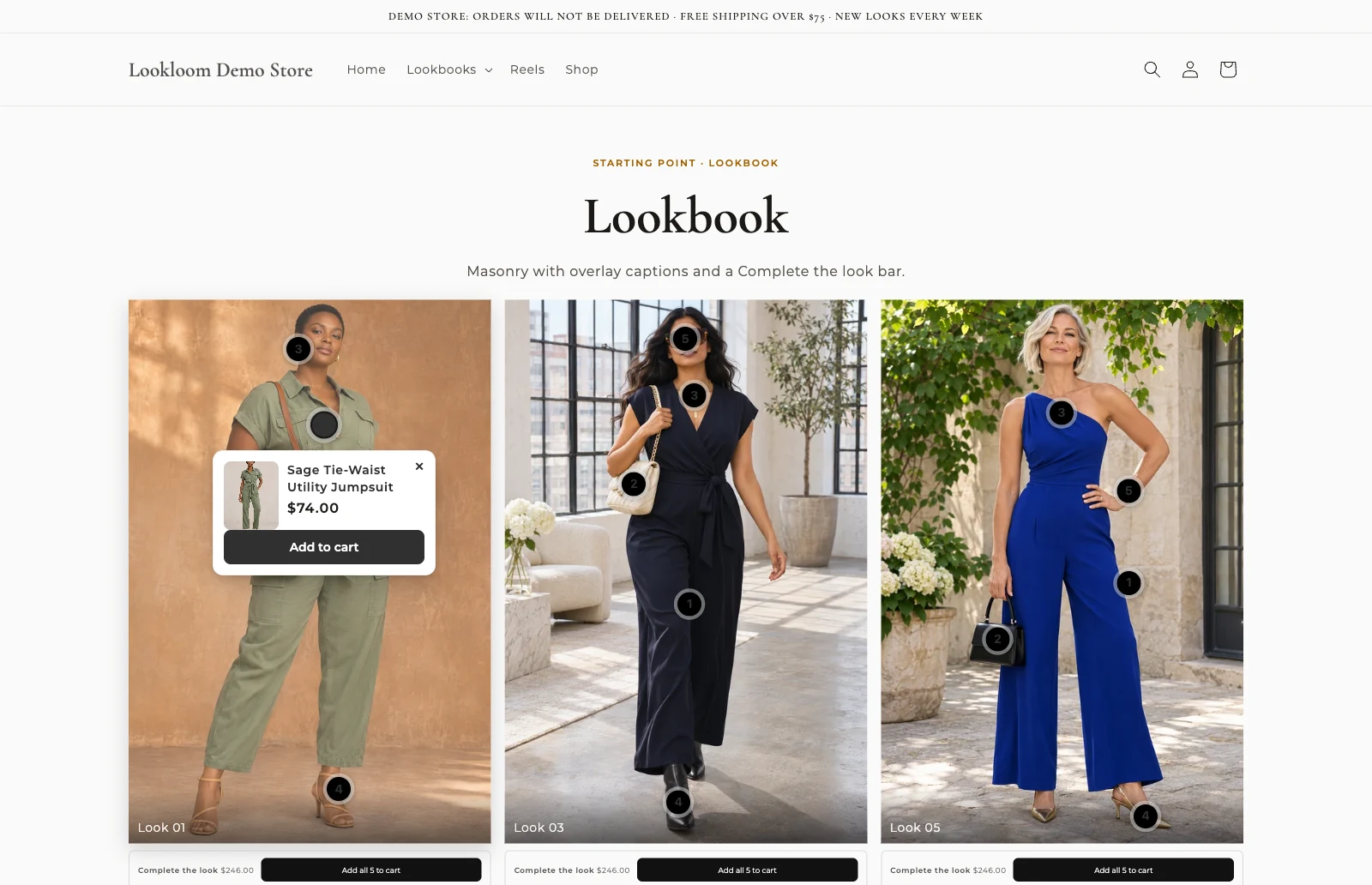
- Every planincludes Shopify Plus
- 5 layoutsgrid to carousel
- 0customer data stored
- No codeadd it in the theme editor
How it works
Live on your store in three steps
Create a gallery
Pick a starting point, then add images, videos, products or a collection.
Tag your products
Tap an image to place a pin on a product. Review suggestions in one list.
Add it to your theme
Publish, then add the Lookloom gallery block in the theme editor. No code.
What you get
Everything you need to sell from your photos
Tag products right on the photo
Drop a pin on any image or video. Let Lookloom suggest the products for every image at once.
- Click to place a pin, nudge it with the arrow keys
- Product card with variants, price and Add to cart
- Live preview that matches your storefront
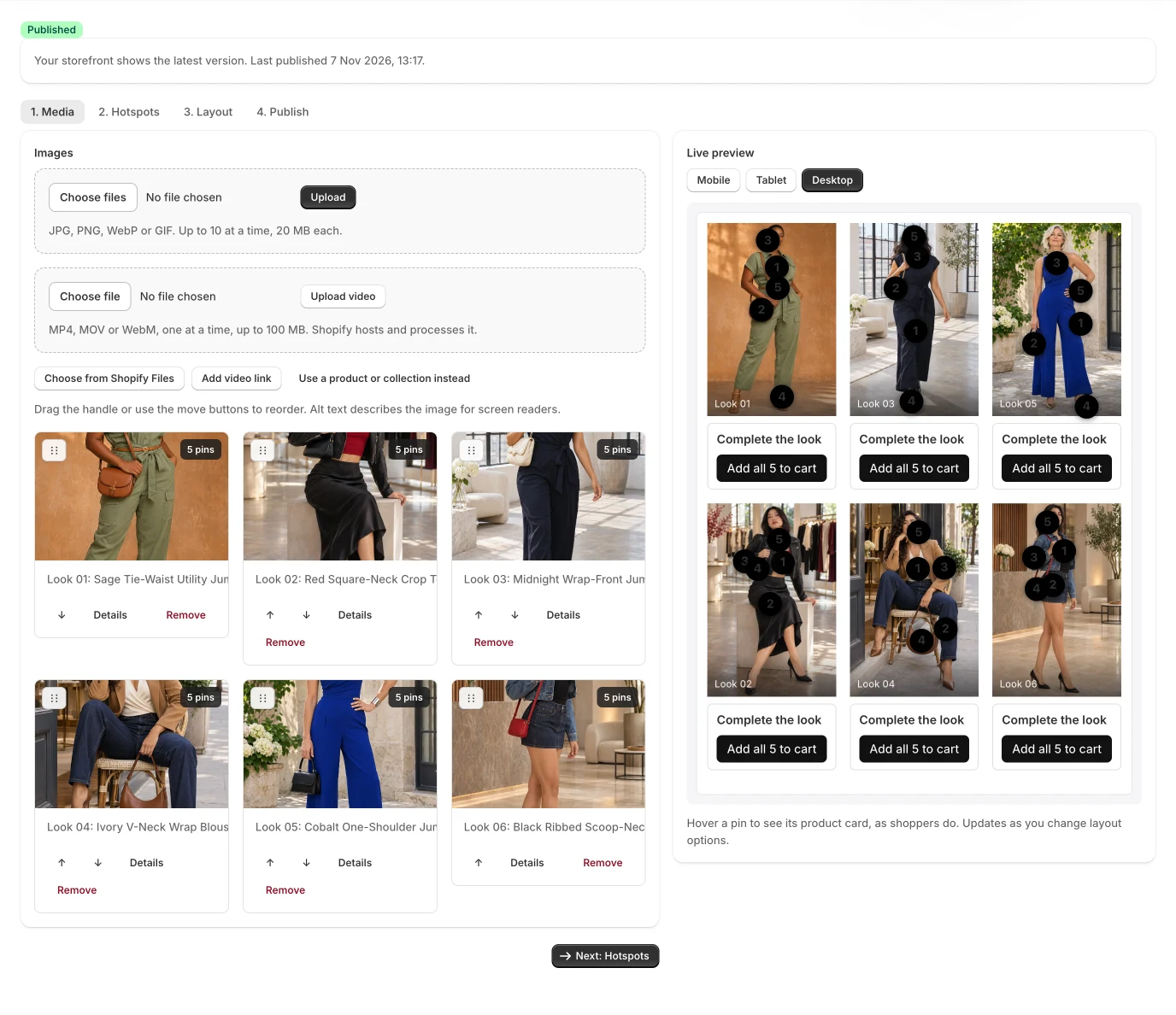
Shop the look in one tap
Show a hero image with every item tagged, and let shoppers add the whole look to the cart.
- A product list next to the picture, or pins on it
- Add all items of a look in one tap
- Lightbox with keyboard and swipe on every plan
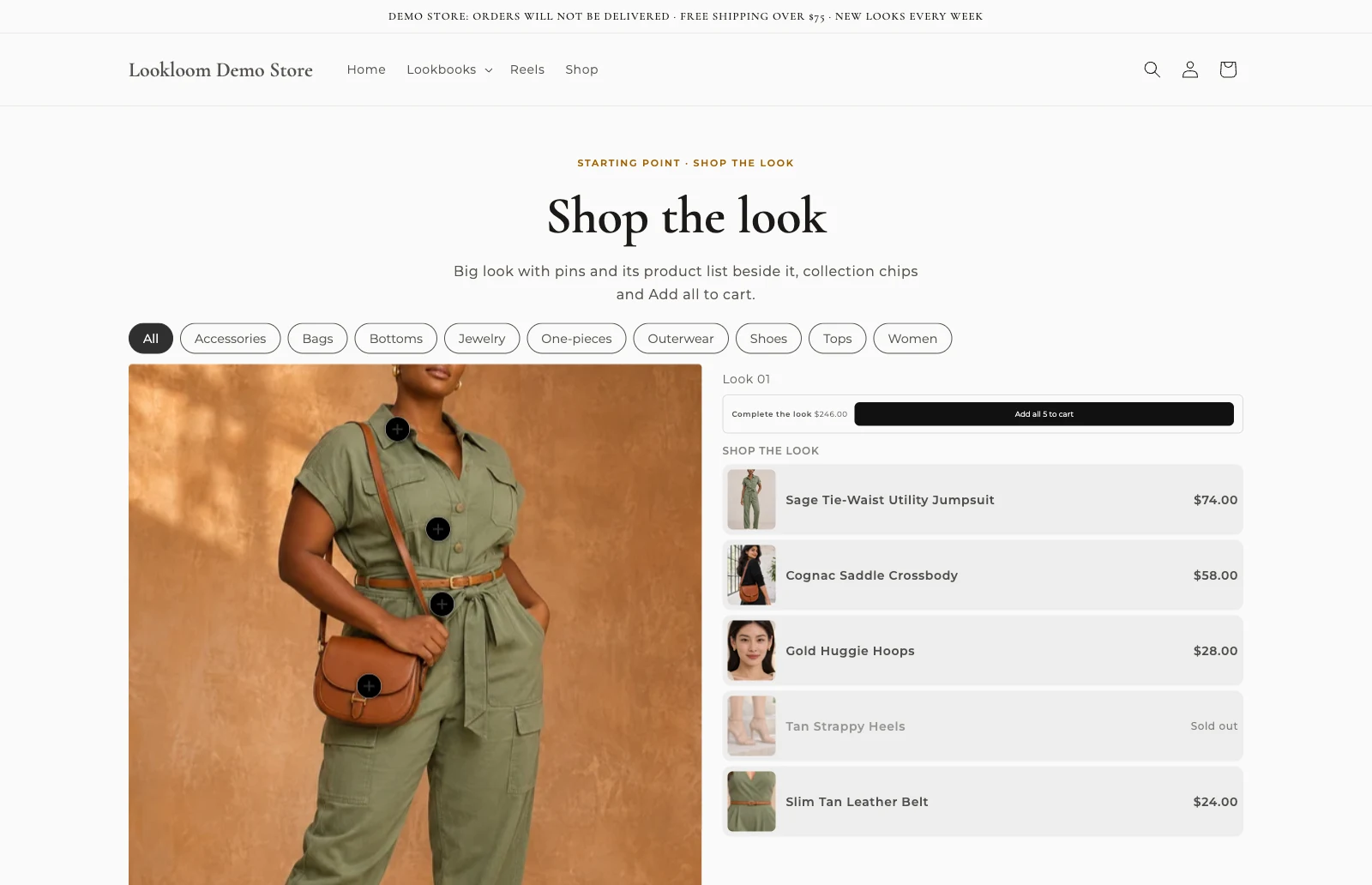
Measure what sells
See which galleries and looks bring clicks and add to carts, without storing any customer data.
- Views, hotspot clicks and add to carts per gallery
- Compare a period with the one before
- Revenue attribution and CSV export on higher plans
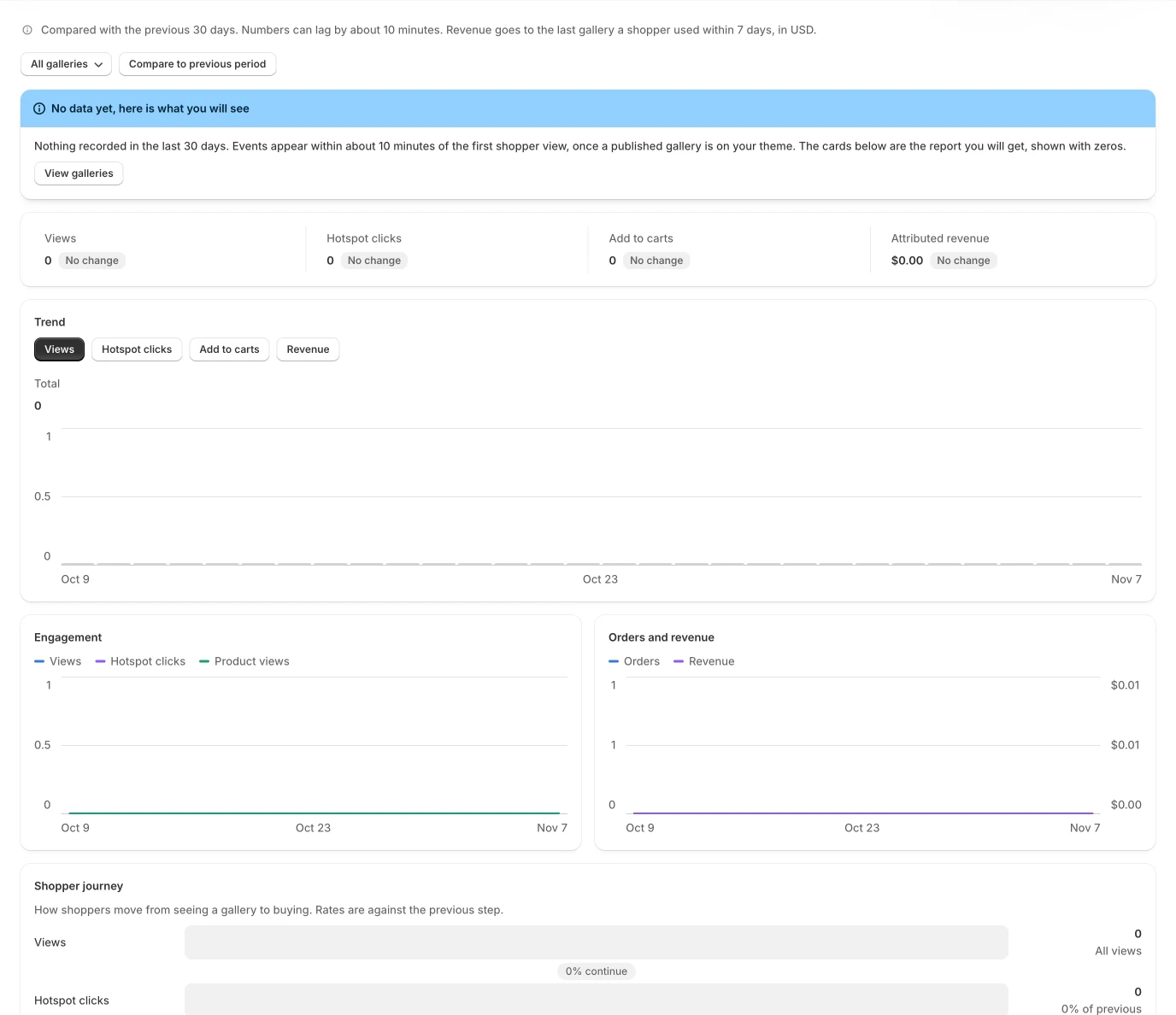
Build from what you have
Upload images, pick from Shopify Files, or start from a product or a whole collection.
Five layouts
Grid, masonry, carousel and more, with a live preview before you publish.
Instagram and Facebook import
Bring posts into any gallery and keep them in sync, then tag them to products.
Fast by design
Published galleries render from your own store data, so pages never wait on our servers.
Schedule a campaign
Set a start and end date and the gallery switches on and off for you.
Private by design
No customer data stored. Analytics are daily totals per gallery.
Layouts
Start from a look that fits
Starter templates set the layout and style for you. Change anything later.
Lookbook
A calm grid of full looks for collection pages and campaigns.
Shop the look
One hero image with every item tagged, on product and landing pages.
Customer photo wall
Instagram posts, tagged to products.
Video reels
Short videos that load on tap, each with its products attached.
Pricing
Simple plans, core features on all of them
Plans differ only in limits and extras, never in whether the gallery works.
Free
$0 / month
- 2 published galleries
- 30 items per gallery
- 7 days of analytics
Starter
$5.99 / month
- 10 published galleries
- 100 items per gallery
- 30 days of analytics
- Product and collection galleries
- Video
Growth
$12.99 / month
- 30 published galleries
- 250 items per gallery
- 90 days of analytics
- Product and collection galleries
- Video
- Custom CSS
- CSV export
- Revenue attribution
Pro
$29.99 / month
- Unlimited published galleries
- 500 items per gallery
- 365 days of analytics
- Product and collection galleries
- Video
- Custom CSS
- CSV export
- Revenue attribution
Paid plans start with a 14-day free trial, once per store. Billed through Shopify. Cancel anytime.
FAQ
Questions
Does Lookloom work with my theme?
Yes, with any Online Store 2.0 theme, including Shopify Plus stores. You add the Lookloom gallery block in the theme editor. Lookloom never edits your theme files.
Will it slow my store down?
No. Published galleries render from your own Shopify data, so the storefront never waits on our servers. The storefront script is small and videos load only when tapped.
What data does Lookloom store?
No customer data. Analytics are daily totals per gallery and Lookloom does not request access to your customers or orders.
Can I start for free?
Yes. The Free plan includes the core features with lower limits, and paid plans start with a free trial.
Can I use Instagram posts?
Yes. Import Instagram posts into a gallery and tag them to products.
Turn your next lookbook into a storefront
Install from the Shopify App Store and publish your first gallery today.
Find us on the Shopify App Store